HSE Genius Intelligent SDS Analysis & Automated Compliance Tools.
5 Key Features to Automate Safety Data Sheet Management
🚀 Try HSE Genius with 50 free credits
Start your free demo now and discover how easy SDS management can be.
Try the DemoSafety Data Sheet (SDS) Analysis
Analyzing a Safety Data Sheet (SDS) is not just a formality. It’s a crucial responsibility that directly impacts worker health, regulatory compliance, and the environment. Yet in many companies, this activity is still performed manually—using Excel sheets, highlighters, and a lot of attention. The risk of error is always around the corner.
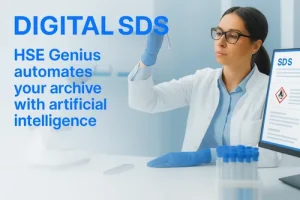
With HSE Genius, this scenario changes radically. Thanks to intelligent automation, SDS analysis becomes fast, accurate, and fully documented.
What is HSE Genius?
HSE Genius is a platform designed to support companies and consultants in the management of chemical substances, starting with one of the most important tools: the Safety Data Sheet.
By leveraging artificial intelligence and advanced OCR technologies, it can automatically read and understand PDF documents, extract the most relevant information, and return it in a structured format.
What HSE Genius extracts from SDS
HSE Genius analyzes the most relevant sections of each sheet, including:
-
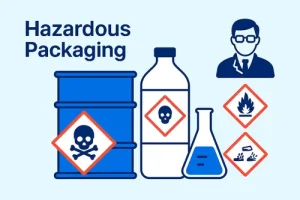
Section 2: Hazard statements (H phrases) and pictograms
-
Section 3: Composition and active substances with CAS numbers
-
Section 9: Physical and chemical properties
-
Section 13: Disposal considerations
-
HP classes (HP1–HP8 and HP10–HP15): according to EU Regulations 1357/2014 and 2017/997
The goal is not to replace professionals, but to provide them with reliable automated support that speeds up and strengthens decision-making.
Operational features
-
Automatic analysis from PDF
-
Multilingual recognition
-
Export to Excel or direct email delivery
-
Intuitive interface with critical data highlighted
-
Advanced search and history of all sheets
-
Selectable list of related CER codes (no automatic attribution)
❗ HSE Genius provides a selectable list to facilitate identification of EER Code.
Concrete benefits
Using HSE Genius means:
-
Drastically reducing transcription errors
-
Improving traceability and documentation
-
Cutting down the average time needed to analyze each SDS
-
Ensuring compliance with REACH, CLP, and national regulations
-
Standardizing workflows across operators, consultants, and HSE departments
Laboratories use HSE Genius
Trusted by professionals across Europe
See HSE Genius in Action
Practical case
Imagine a pharmaceutical company managing over 200 SDS each year, many frequently updated by suppliers. With the old method, every revision required manual intervention from a technician.
With HSE Genius, each document is uploaded, analyzed, and classified in just a few seconds. Data is immediately exported to Excel, ready to be imported into corporate environmental management systems.
Who is it for?
HSE Genius is ideal for:
Manufacturing companies
Environmental consulting firms
Chemical laboratories
Pharmaceutical companies
Public entities
HSE professionals who want to work faster and more accurately
Various solutions are available: from occasional packages for single projects to scalable enterprise plans with APIs and dedicated support.
From compliance to prevention culture
Automation applied to SDS analysis is now a concrete reality. HSE Genius allows you to face a complex task with tools that are simple, fast, and secure.
In a field where precision is everything, every second saved and every error avoided can make the difference.
👉 With HSE Genius, consulting and using SDS the right way becomes simple.
100+ laboratories already use
Hse Genius
Trusted by laboratories and professionals across Europe
Interfaccia chiara e dati subito disponibili in Excel.
Übersichtliche Oberfläche und Daten sofort in Excel verfügbar.
HSE Genius ci ha aiutato a velocizzare l’analisi delle SDS.
Ready to simplify your SDS workflow?
Get started with HSE Genius today – try the free demo or contact us for details.
📩 Request Info or Book a Demo
Want to see HSE Genius in action? Fill out the form below.